When you tap your phone to pay, the money does not jump straight from your account to the shop. It travels through a chain of telecom networks, and that is why fintechasia telekom matters to everyone who pays digitally. A fast, stable network turns a payment into a one-second job. A weak network turns the same payment into a worry: did it go through, will I be charged twice, and should I try again? This guide explains, step by step, how telecom networks power digital payments, where they can fail, and how you can pay more safely.
Start with the journey itself. You open a payment app or tap a card reader. Your phone or the shop terminal sends an encrypted message over a mobile or broadband network to a payment processor. The processor checks with your bank, the bank approves or declines, and the answer travels back to the shop in seconds. Every step needs the network to be up, and the whole chain is only as strong as its weakest link.
How a Digital Payment Travels on a Network
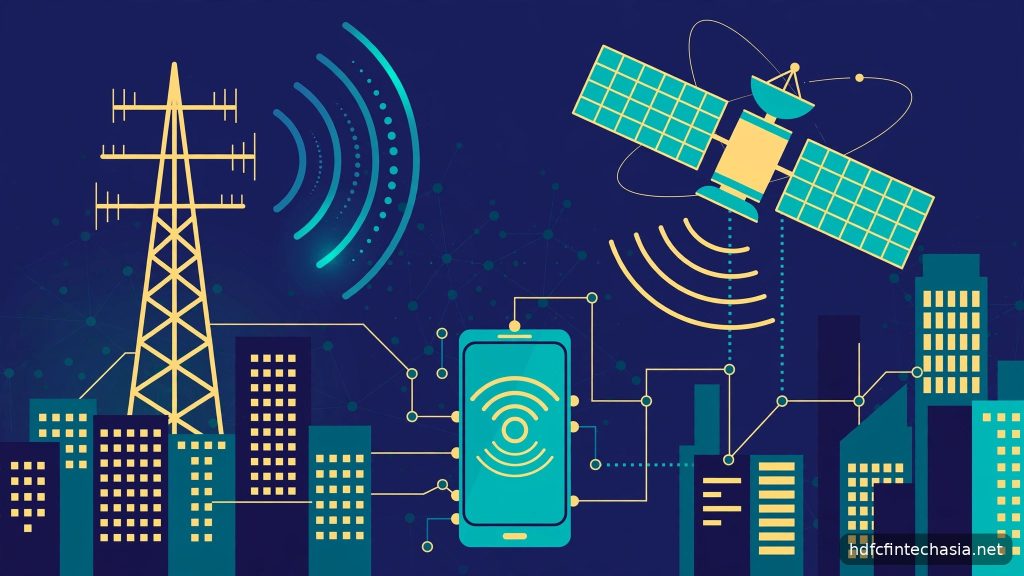
Think of the network as a courier service with many handoffs. The first handoff is your connection: mobile data, Wi-Fi or a wired broadband line in the shop. The second is the internet backbone, the high-capacity fibre routes that carry data between cities and countries. The third is the payment system itself, which talks to banks and card networks. If any handoff stalls, the payment stalls with it.
Speed matters, but reliability matters more. A payment message is tiny, so even a modest connection can carry it. What it cannot survive is a long break in the middle. That is why a shop with a steady, mid-speed connection often takes payments more smoothly than a shop with a very fast connection that drops out every few minutes.
Why FintechAsia Telekom Coverage Follows Networks
Fintechasia telekom coverage follows networks because networks decide who can join the digital economy. When 4G or 5G reaches a town, mobile banking, QR payments and online selling become practical for the first time. When fibre reaches a market street, shops can run card machines, stock systems and delivery apps at the same time. Each upgrade removes a small barrier, and many small barriers removed together can change a local economy.
If you want the wider telecom picture, read our companion guide, Telekom FintechAsia: Signals, Networks and What They Mean for Your Money, and our original FintechAsia Net Telekom guide. Together they explain the signals behind the payments you make every day.
Mobile Data, Wi-Fi and Wired Lines Compared
Mobile data is flexible: it works anywhere there is coverage, which suits riders, market traders and anyone who works on the move. Wi-Fi is cheap and fast indoors, but it depends on the broadband line behind it and on a router that may be shared by many people. A wired line in a shop is the most stable option for a fixed card machine, because it is not affected by walls, crowds or weather in the same way. Smart businesses often use two connections, so if one fails, the other keeps payments flowing.
When Payments Fail: What to Check First
A failed payment is alarming, but it usually has a simple cause. First, check whether you received a confirmation message or a bank alert. If the shop shows no confirmation and your bank shows no charge, the payment did not complete, and it is safe to try again on a better connection. If your bank shows a charge but the shop did not confirm, do not pay a second time straight away. Ask for a receipt, check your bank app, and wait a few minutes for the systems to catch up.
Common network causes include a phone switching between Wi-Fi and mobile data at the wrong moment, a crowded network at a busy event, or a shop router that needs restarting. Moving a few steps, switching from Wi-Fi to mobile data, or asking the shop to retry on its backup connection often solves the problem. Keeping a second payment method, such as a card or a small cash reserve, is also wise for important purchases.
Safety Habits for Paying on Any Network
- Use only official payment apps from your bank or a trusted provider, and keep them updated.
- Avoid entering payment details on public Wi-Fi unless the app uses its own secure connection.
- Turn on payment alerts so you see every charge the moment it happens.
- Never share a one-time code with anyone who calls or messages asking for it.
- Check the amount on the terminal before you confirm, every single time.
What 5G and Fibre Change for Payments
Newer networks do not just make payments faster; they make them steadier and able to handle many more devices at once. That matters at festivals, stadiums and busy markets, where hundreds of people may pay at the same time. Fibre in shops supports self-checkout, delivery screens and stock systems running together without slowing the card machine. Over time, these upgrades also support instant bank-to-bank payments, smart meters and connected vehicles that pay for charging or tolls automatically.
For ordinary users, the practical benefit is simple: fewer failed payments, shorter queues and more places that can accept cards and phone payments. For businesses, the benefit is fewer lost sales and faster closing at the end of the day. That is why telecom investment and fintech growth move together, and why following network news helps you understand where payments are heading next.
Frequently Asked Questions
What is fintechasia telekom?
Fintechasia telekom is our coverage of how telecom networks support digital payments, banking and online business, explained in plain language for everyday users.
Why did my payment fail even though I have signal bars?
Signal bars show connection strength, not whether the payment system can be reached. A network can be busy, a router can be overloaded, or the payment service itself can be briefly down. Retry on a different connection and check your bank alert first.
Is it safe to pay on public Wi-Fi?
Trusted payment apps encrypt your details, so they are far safer than typing card details into a random website. Still, use mobile data for large payments when you can, and never share codes or passwords.
What should I do if I am charged twice?
Do not panic. Keep both receipts, note the times, and contact your bank with the details. Duplicate charges from a network retry are usually reversed once the payment system reconciles the transactions.